Creating messages
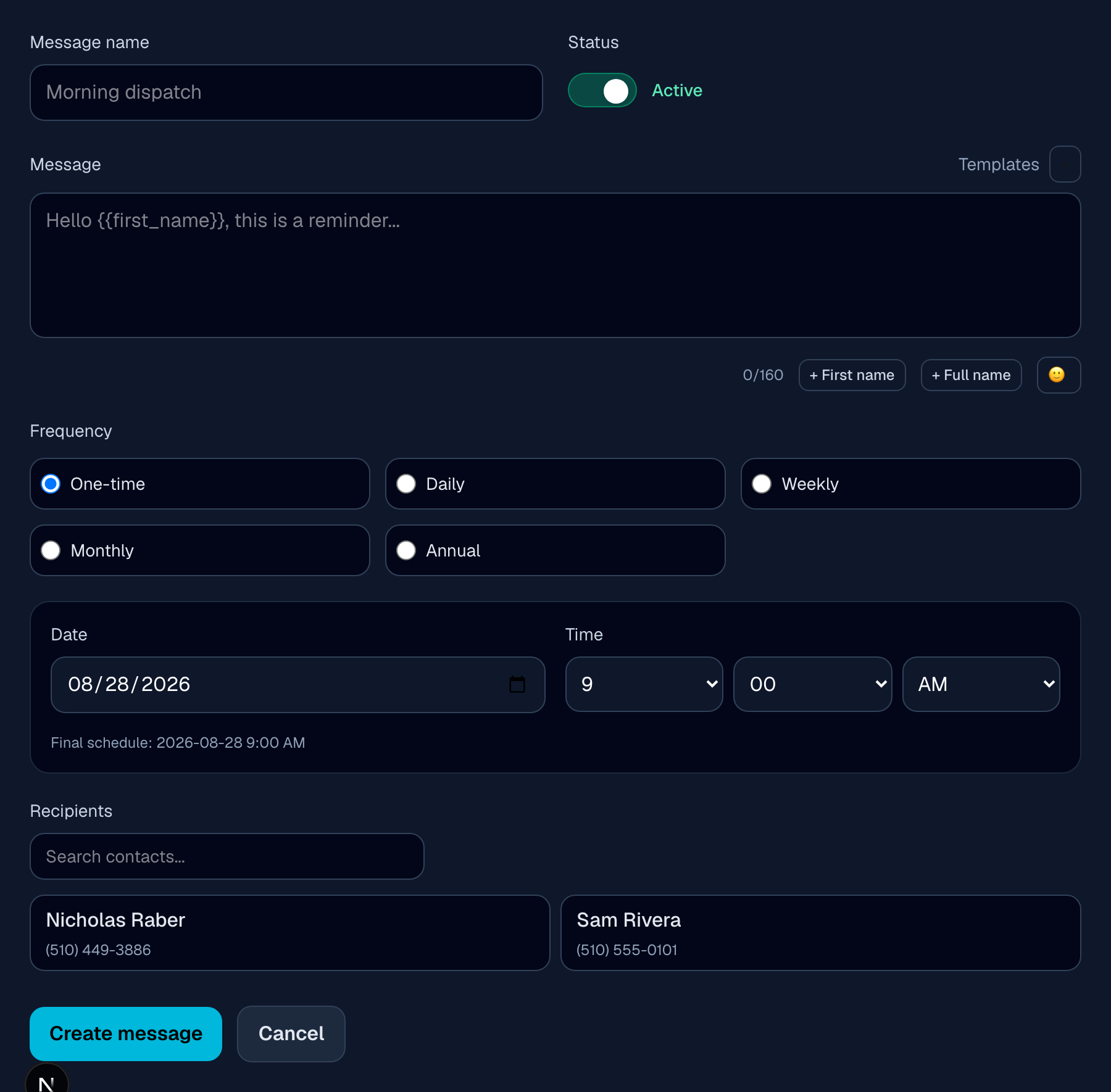
From the dashboard, click + New Message to open the composer:
- 1
Name it
For your own reference — recipients never see this.
- 2
Write the message
Pick a starting point from Templates, or write your own. Drop in
{{first_name}}or{{full_name}}to personalize it per recipient — the composer shows a live preview of how it'll read. One emoji can lead the message, via the smiley button next to the character count.Plain text fits 160 characters per SMS segment; adding an emoji or certain accented characters switches the whole message to a format that fits about 70 characters per segment. Messages are capped at 2 segments — the composer shows a live count and warns you before you go over.
- 3
Set a schedule
Once, daily, weekly, monthly, or annual — see Schedule types for what each one means and how often it actually sends.
- 4
Choose recipients
One or more contacts, or a whole group (Together, Together+, and Teams only) — see Contacts & Groups.
- 5
Save it
It starts Active by default — flip the Status toggle first if you'd rather save it paused.
Quick edits: from the message list, click directly on a card's schedule or recipients to change just that piece without opening the full editor. Click anywhere else on the card to open the full editor, or drag a card between the Active and Paused sections to turn it on or off.
Found a bug, or something not working as described?
textmetoo is in early access — tell us what happened and we'll get on it.